
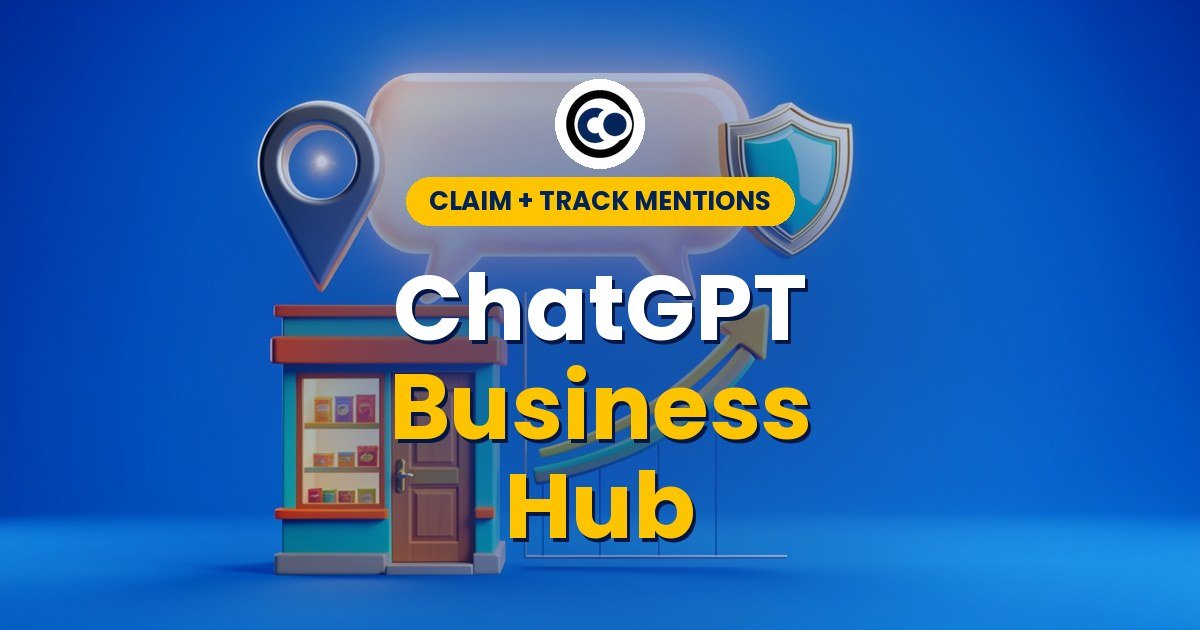
Quick answer: ChatGPT Business Hub is the dashboard where a company claims its profile inside ChatGPT, verifies ownership, updates key details, uploads product feeds and sees how often ChatGPT mentions it. OpenAI launched it in beta on November 10, 2026 as part of “Businesses in ChatGPT”. Any eligible business with a website, located where ChatGPT is available, can claim; the AI-powered Business Agents are US-only for now. Claim first, then track your mentions with an AI visibility tool, because claiming does not guarantee higher placement.
On November 10, 2026, OpenAI published Introducing Businesses in ChatGPT, a beta that lets companies claim their organisation in ChatGPT and manage how it appears. OpenAI’s own pages call the dashboard “Business Hub”; most marketing coverage, including the Ignite Visibility weekly roundup, calls it ChatGPT Business Hub. Same product. OpenAI says ChatGPT reaches 1.2 billion people each week, so this is the first time a business can formally “own” its listing in an AI assistant at that scale.
Below we cover what the ChatGPT Business Hub does, who can use it in the USA and India, how to claim your business step by step, what the insights show (and don’t), how it connects to ChatGPT Ads, and which tools fill the gaps. Everything here comes from OpenAI’s announcement, its claim page and its Business Agents policy, read on November 23, 2026.
What is ChatGPT Business Hub and what can you actually do in it?
According to OpenAI, “In Business Hub, companies can claim their organization in ChatGPT and, once verified, update key details and add self-service product feeds with pricing and availability.” The claim page adds that claimed profiles show a blue check in ChatGPT.
In practice, the ChatGPT Business Hub has four jobs:
- Claim and verify: prove you own the business. A blue check appears on your profile once claimed.
- Update key details: keep your information current. OpenAI does not publish a full list of editable fields, so expect this to change during the beta.
- Product feeds: retailers can upload feeds with pricing and availability, which “ChatGPT may use” to answer customer questions. Shopify merchants are already connected through Shopify Catalog.
- Insights: aggregated counts of mentions and website clicks, plus “discovery topics”, the themes in conversations where your website is cited.
There is also a fifth piece for some US businesses: Business Agents, an AI assistant that represents your business inside ChatGPT, built with guidelines you control.
What to do: treat ChatGPT Business Hub like your Google Business Profile for AI answers. Claim it now, even if you don’t plan to build an agent.
Who is eligible in the USA and India?
This is where most ChatGPT Business Hub guides get vague, so here is exactly what OpenAI says, and what it doesn’t.
| Feature | USA | India | What OpenAI says |
|---|---|---|---|
| Claim your business in Business Hub | Yes (eligible businesses) | Not named, but covered by the “where ChatGPT is available” wording | “Any eligible business located where ChatGPT is available can claim”; “initially available to eligible businesses with a website” |
| Update details + product feeds | Yes, once verified | Same as claiming | Retailers “can also upload product feeds with pricing and availability” |
| Mentions, clicks, discovery topics | Yes | Same as claiming | Shown only when conversations meet “certain thresholds” (numbers not published) |
| Business Agents | Yes, eligible ecommerce and online service businesses | No, not yet | “available to eligible ecommerce and online service businesses in the United States” |
| Sponsor your agent via ChatGPT Ads | Yes | Agents not available yet | Agents can be “the destination for ChatGPT Ads” |
OpenAI says it plans “to expand Businesses in ChatGPT and Business Agents to more markets and business categories.” No India date is given. For Indian freelancers, D2C brands and local service businesses, the realistic plan is: claim the profile if the flow lets you, set up product feeds if you sell online, and wait on agents.
What to do: if you serve clients in both markets, claim using the business entity and website your customers already know. Don’t create a separate “US” entity just to get Business Agents.
How do you claim your business in ChatGPT Business Hub? (7 steps)
OpenAI’s claim page describes the flow as “Start by claiming and verifying your business, then add or update its information.” Here is that flow turned into a working checklist.
- Audit your website first. Claiming is “initially available to eligible businesses with a website.” Make sure your About, Contact, pricing and product pages are accurate, because ChatGPT still answers from what it finds on the web.
- Open ChatGPT Business Hub from the “Claim your business” button on OpenAI’s Businesses in ChatGPT page and search for your listing.
- Verify ownership. OpenAI’s pages don’t list the methods. Ignite Visibility reports phone call, text message or DNS verification. Have access to your business phone line and your domain’s DNS settings before you start.
- Connect Shopify if you use it. OpenAI’s three-step Shopify flow is: connect store, review business information (products, pricing and availability come from Shopify’s catalog), then preview and publish your agent. You can also claim without Shopify.
- Update key details. Match your name, description and links to your website and Google Business Profile so every source says the same thing.
- Upload a product feed (retailers). Include accurate pricing and stock, in USD or ₹ as your store sells.
- Set a monthly review. Check mentions, clicks and discovery topics once a month and fix any wrong facts on your site.
What to do: block 30 minutes this week, get your DNS login and business phone ready, and complete steps 1 to 5 in one sitting.
What do ChatGPT Business Hub insights show, and what’s missing?
OpenAI says businesses get “aggregated insights”, including “the number of mentions and website clicks a business receives” and “discovery topics—common themes across conversations where their website is cited.” The dashboard screenshot also lists profile views.
The ChatGPT Business Hub privacy limits matter for planning: “We don’t share users’ conversations or Business Agent chats with businesses,” and insights “are only available when there are enough conversations or interactions to meet certain thresholds.” Small brands may see blank or thin data at first.
What ChatGPT Business Hub does not give you:
- The exact prompts people asked.
- Which competitors were recommended instead of you.
- Your visibility in Google AI Overviews, AI Mode, Gemini, Perplexity or Copilot.
- Any promise of ranking. OpenAI states plainly: “Claiming does not guarantee higher placement or sales.”
What to do: use Business Hub for first-party ChatGPT numbers, and pair it with a prompt-tracking tool for competitor and multi-engine data. We compared those tools in depth in our guide to AI visibility tools.
How does ChatGPT Business Hub connect to ChatGPT Ads?
OpenAI says businesses “can also sponsor their Business Agent and use it as the destination for ChatGPT Ads,” and that “Sponsored placements are clearly labeled and separate from ChatGPT responses.” So the profile and paid ads are linked, but ads don’t buy you organic recommendations.
For US ecommerce and online service businesses, that creates a simple path: claim, build a Business Agent, test it, then point a small ChatGPT Ads campaign at it. ChatGPT Ads also changed bidding this month, moving new conversion campaigns to target CPA, so check your settings before you spend. Our ChatGPT Ads setup guide covers budgets in USD and ₹ and the setup steps.
What to do: don’t run ads to your agent until it answers your top 10 customer questions correctly in preview.
What rules apply to Business Agents?
OpenAI’s Business Agents policy (updated November 10, 2026) sets clear limits. Key points:
- “Business verification alone does not guarantee agent eligibility.” OpenAI considers the business category and the agent’s intended use.
- The agent “must be clear that it is AI representing the business”, not a human, an independent adviser, or endorsed by OpenAI.
- No pressure tactics or “false urgency”, which matters for Black Friday-style countdown scripts.
- No advice that “legally requires a professional license.”
- OpenAI “may suspend or remove your agent and ask you to make changes.”
What to do: write your agent guidelines like a support policy: facts, prices, returns, hours and handoff to a human. Skip sales-pressure language entirely.
The ChatGPT Business Hub readiness scorecard
Use this scorecard before and after you claim your ChatGPT Business Hub profile. Score 1 point for each “yes”. Under 6 means fix your basics before investing in agents or ads.
| # | Check | Why it matters | Yes / No |
|---|---|---|---|
| 1 | Website states what you sell, who for, and where (USA, India or both) | Claiming requires a website, and ChatGPT reads it | |
| 2 | Prices on site match your product feed and checkout | Feeds include pricing and availability | |
| 3 | Same business name, phone and links on site, Google and social profiles | Consistent facts reduce wrong answers | |
| 4 | Access to DNS and business phone ready | Reported verification methods | |
| 5 | Profile claimed with blue check visible | Shows the listing is owner-managed | |
| 6 | Monthly log of mentions, clicks and discovery topics | Trends matter more than one month | |
| 7 | 10–25 buyer prompts tracked in an AI visibility tool | Shows competitors and other AI engines | |
| 8 | FAQ page answers pricing, payment (cards, UPI), delivery and support | Gives ChatGPT clean answers to quote | |
| 9 | Agent guidelines written with no urgency or licensed advice (US) | Required by OpenAI policy | |
| 10 | Clear owner for monthly review | Beta products change often |
What to do: copy this table into your project tool and re-score it every quarter.
Which AI visibility tools pair well with ChatGPT Business Hub?
ChatGPT Business Hub only shows ChatGPT, and only in aggregate. To see the actual prompts, competitors and other engines, you need a tracker. Here are four with published pricing.
| Tool | Entry price (as published) | Prompts tracked | Engines named |
|---|---|---|---|
| Semrush AI Visibility (Base) | $99/mo per domain, billed annually | 25 custom prompts, daily | ChatGPT, Google AI, Gemini, Perplexity |
| SE Ranking (SE Visible add-on) | From $71/mo; Core plan includes 25 prompts daily | 75 to 1,000 prompt tiers (add-on) | AI Overviews, AI Mode, Gemini, ChatGPT, Copilot and more |
| Peec AI (Starter) | $95/mo | 50 prompts, 3 models | ChatGPT, Perplexity, AI Overview, AI Mode, Gemini and others |
| Ahrefs Brand Radar AI | From $199/mo (add-on) | Check-based allowance | Custom prompts on Google, ChatGPT, Gemini, Perplexity, Copilot, Claude |
Prices checked on November 23, 2026 on each vendor’s pricing page (Semrush AI pricing, SE Ranking pricing). None of these pages showed rupee pricing, so Indian buyers pay the USD price by card. SE Ranking’s page also shows an extra 20% off annual plans until December 4.
Which one should you choose?
- Solo freelancer or small shop: SE Ranking, because the Core plan bundles SEO and 25 daily AI prompts in one subscription and offers a 14-day trial.
- Already on Semrush: add the AI Visibility toolkit instead of a second vendor.
- AI-only tracking, several engines: Peec AI, with unlimited users on every plan.
- Ahrefs users with bigger budgets: Brand Radar AI, since it covers Claude and Copilot too.
What to do: start with 10–25 buyer prompts, such as “best [your category] in [city]” or “[your brand] vs [competitor]”, and compare the results with your ChatGPT Business Hub discovery topics each month.
Does claiming help your SEO and AI search visibility?
Indirectly. Claiming a ChatGPT Business Hub profile helps, but OpenAI says ChatGPT “continues to make independent recommendations and comparisons,” so the profile corrects facts rather than buying rank. The bigger lever is still your website: clear service pages, real pricing, FAQs and pages that earn citations. Discovery topics tell you which themes ChatGPT already associates with your site, which is useful input for your content plan. Our SEO fundamentals guide covers the on-page basics that feed both Google and AI answers.
What to do: turn each discovery topic into one stronger page or FAQ on your site, then watch whether mentions move over the next two to three months.
Frequently asked questions
Is ChatGPT Business Hub free?
OpenAI has not published any price for claiming a business or using the insights. Sponsoring a Business Agent runs through ChatGPT Ads, which is paid.
Can Indian businesses use ChatGPT Business Hub?
OpenAI says any eligible business “located where ChatGPT is available” can claim, and it does not name countries. Business Agents are limited to the United States for now.
How do I verify my business?
OpenAI’s pages don’t list verification methods. Ignite Visibility reports phone call, text message or DNS verification, so keep your business phone and domain DNS access ready.
Will claiming my profile improve my ranking in ChatGPT?
No guarantee. OpenAI states, “Claiming does not guarantee higher placement or sales.” It helps ChatGPT show accurate details.
Can I see what people asked ChatGPT about my brand?
No. ChatGPT Business Hub shows aggregated mentions, clicks and discovery topics, not conversations. Use a prompt tracker for prompt-level data.
Final thoughts
ChatGPT Business Hub is a low-effort, high-upside move: claim your profile, keep your details and feeds accurate, and read the insights monthly. US ecommerce and online service businesses can go further with Business Agents and ChatGPT Ads; Indian businesses should claim where eligible and watch for expansion. Pair the hub with one AI visibility tracker, and keep investing in the website ChatGPT reads from. That combination is what moves mentions over time.